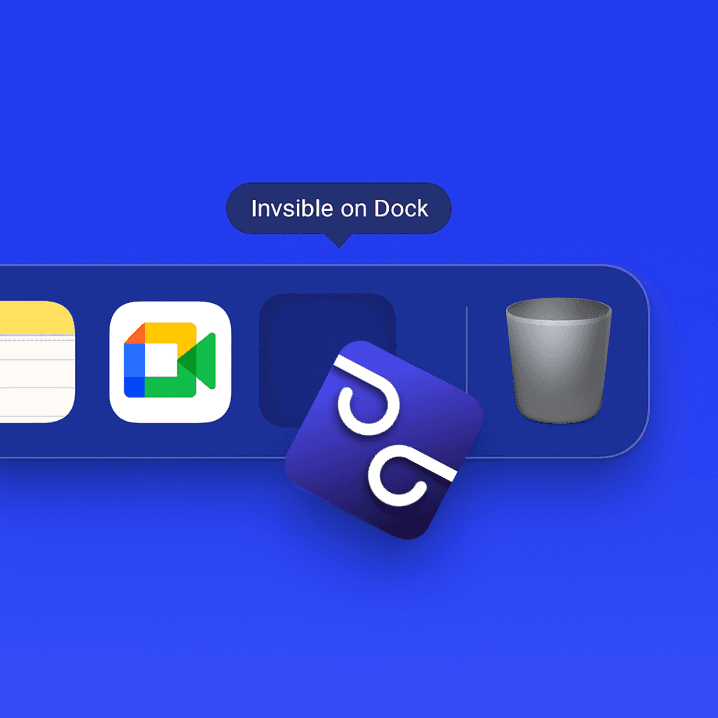
Stealth Mode Active

The Co-pilot That's
Heard, Not Seen.

Glimp gives you real-time, undetectable assistance during interviews, sales calls, and presentations — ensuring you're always one step ahead.

Free to start. No credit card needed.

meet.google.com
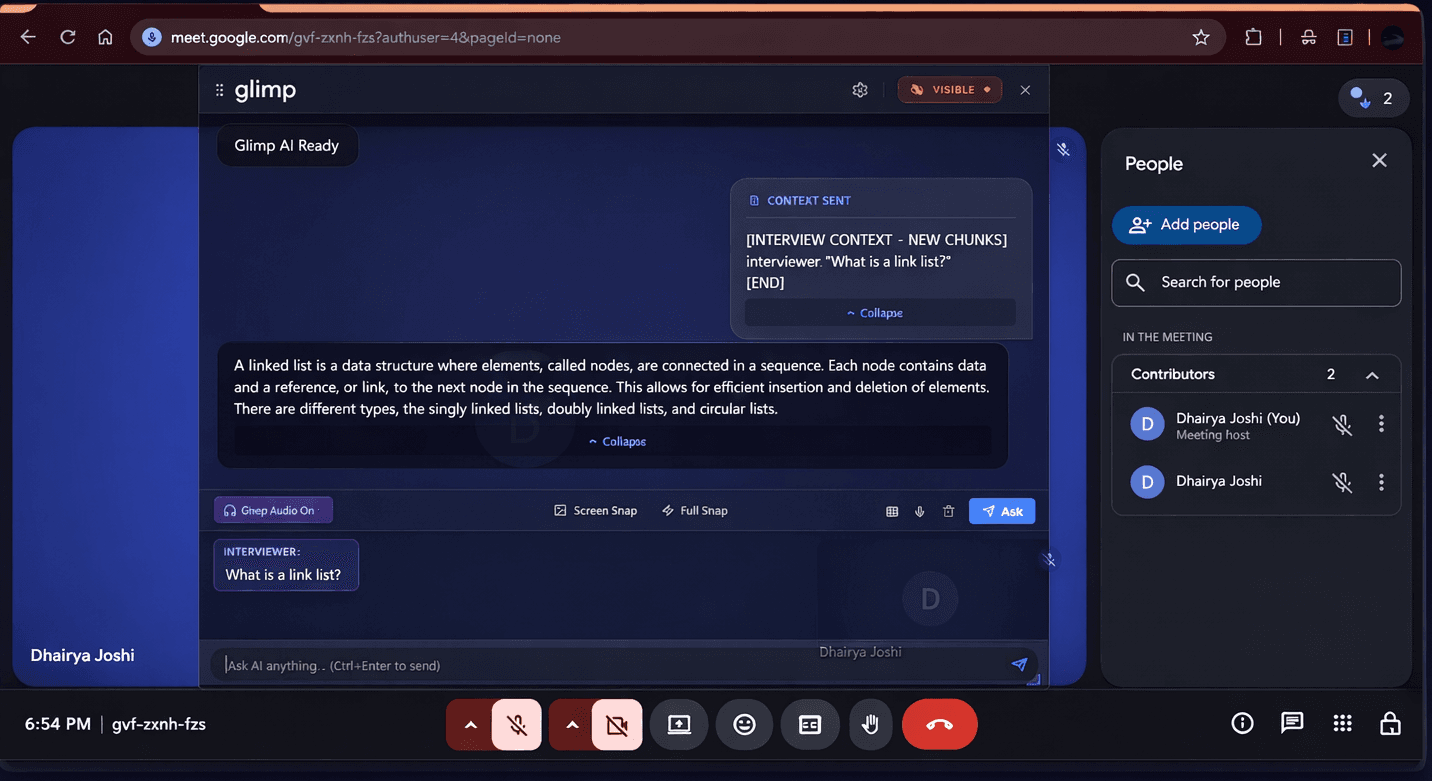
Glimp providing real-time AI assistance during a Google Meet interview
Ghost Mode Active
Features

An Unfair Advantage

A suite of powerful, undetectable tools designed to make you unbeatable in any high-stakes conversation.

Undetectable Ghost Mode

Our signature feature. Glimp operates as a transparent, floating overlay that's completely invisible to screen-sharing software. Gain a powerful advantage with total confidence.

Screen-share proofTransparent overlayZero footprintHidden from Task ManagerInvisible to Alt-Tab
Glimp is invisible on the macOS dock — completely undetectable

Real-time Audio Capture

Powered by a low-latency engine, Glimp captures both your microphone and the other party's system audio without complex setup. Never miss a word.

Multimodal Screen Analysis

Stuck on a visual problem? Glimp instantly analyzes content on your screen — be it a coding challenge, a design diagram, or a presentation slide.

Advanced AI Feedback

Go beyond just answers. Glimp provides real-time sentiment analysis and suggests 'Better Answers' to refine your delivery and handle objections.

Invisible in Task Manager

Glimp doesn't show up in the Task Manager or any system process list. There's zero evidence it's running on your machine — total stealth.

Fully Customizable UI

Fine-tune every visual detail. Adjust background opacity, fill opacity, text size, and color scheme. Make Glimp blend perfectly into any environment.

Keyboard Shortcut Navigation

Reposition and resize Glimp entirely with keyboard shortcuts — no mouse interaction needed. Move it around your screen without ever breaking eye contact.

Invisible to Tab Switching

Alt-Tab through your windows — Glimp won't appear. It stays completely hidden from the window switcher, taskbar, and any app-switching view.

Cursor Undetectability

Your cursor never changes when hovering or clicking on Glimp. No pointer shift, no resize icon, no visual tell — making interaction completely undetectable.

How It Works

Your Path to Mastery

From setup to post-call analysis, Glimp is designed for a seamless, powerful experience in any high-stakes call.

01

Load Context

Upload resumes or job descriptions to build a knowledge base tailored to your interview.

02

Configure Audio

Enable system audio loopback to capture all conversation participants automatically.

03

Activate Ghost Mode

Launch the transparent widget for real-time AI assistance that's invisible to everyone else.

04

Use Screen Snap

Analyze visual problems like code challenges or diagrams instantly with multimodal AI.

05

Get Post-Mortem

Receive an automated performance report with insights to improve for next time.

Why Glimp

The Glimp Advantage

See how Glimp stacks up against traditional preparation methods and other AI assistants.

FeatureGlimpTraditional PrepOther AI Tools
Undetectable on Screen Share
Real-time Coding Solutions~
Live Objection Handling
Native System Audio Capture
Local Context File Parsing~
Post-Call Performance Analytics
Pricing

Find Your Edge

Affordable plans for everyone. Choose your secret weapon.

MonthlyAnnualSave 15%

Free

Get started and explore Glimp with basic features.

0/ month
Get Started
  • Basic Capture & Transcription
  • Limited Usage
  • Community Support
Most Popular

Pro

For professionals who need ultimate stealth and confidence.

2,499/ month
  • Real-time Capture & Transcription
  • Multimodal Screen Analysis
  • Ghost Mode: Undetectable Overlay
  • Visual Control Suite
  • Advanced Feedback Loop
  • Ironclad Privacy & Control
  • Priority Support
  • Unlimited Usage

Need more? Contact us for Enterprise solutions.

Download

Equip Your Station

Download the desktop toolbar and unlock your full potential. Available on macOS and Windows.

macOS

Coming Soon
FAQ

Frequently Asked Questions

Have questions? We have answers. Here are some of the most common inquiries we receive.

Yes. Glimp's Ghost Mode uses advanced rendering techniques that make the overlay completely invisible to all major screen-sharing platforms including Zoom, Google Meet, Microsoft Teams, and more. The overlay exists in a separate rendering layer that screen capture APIs cannot detect.

Glimp is designed to be a preparation and confidence tool. We recommend using it responsibly. In Ghost Mode, the tool is completely undetectable, but we encourage users to use it as a supplement to genuine preparation, not a replacement.

Glimp provides real-time coding assistance, algorithm suggestions, system design frameworks, and data structure explanations. It can analyze code on your screen, suggest optimizations, and provide step-by-step solutions for common interview problems across multiple programming languages.

Absolutely. Glimp excels at providing real-time objection handling for sales calls, behavioral interview frameworks, case study analysis, and presentation support. It adapts its suggestions based on the context of your conversation, making it versatile across all professional domains.

Your privacy is our top priority. All context files are parsed locally on your machine. Audio transcription happens in real-time with no persistent storage. We use end-to-end encryption for any data that needs to be processed, and you have full control over what data is shared.

Testimonials

Whispers From The Field

Don't just take our word for it. Here's what top performers are saying about their stealth co-pilot.

Glimp was my secret weapon for landing a dream job. The Ghost Mode is just genius. I could get hints on complex system design questions without the interviewer ever knowing. It's about levelling the playing field.
AS
Ananya Sharma
SDE @ Unicorn Startup
As a fresher, the pressure is immense. Glimp helped me stay calm and confident. When I blanked on a tricky algorithm, it gave me the nudge I needed to get back on track. I went from nervous to hired.
RK
Rohan Kumar
Fresher, IIT Bombay
I used it for my PM interviews. The ability to quickly pull up frameworks for behavioural questions was a game-changer. It felt like my own personal interview coach was right there with me, but completely invisible.
PS
Priya Singh
Product Manager, FinTech
The screen snap feature for data science case studies is brilliant. I could analyze charts and get insights instantly. It helped me structure my thoughts and present a much stronger analysis.
VR
Vikram Rao
Data Scientist, E-commerce Giant
Create & Earn

Become a Glimp Creator
and earn ₹50,000 — ₹3,00,000+ per month.

Get paid for every video you post — even if you've never posted before.

Earn bonuses for every view your video gets (up to ₹1,50,000+ per viral video).

Step-by-step guidance from us — we've helped creators hit millions of views.

Become a full-time content creator and start earning.

Apply Now

Fill in your details and we'll reach out within 48 hours.

Ready to Go Invisible?

Download Glimp now and turn every high-stakes conversation into a win.

Download Glimp Free

No credit card required. Works on Mac, Windows & Linux.